
Injection Pump Timing Belt (Cont'd)
EM-211prose procedureCD17 and CD20 diesel engines; CD17 No mark, CD20 Use mark "A" for injection pump pulley alignment; belt tension differs between CD17 and CD20.
TIMING BELT
Injection Pump Timing Belt (Cont'd)
Removal (Cont'd)
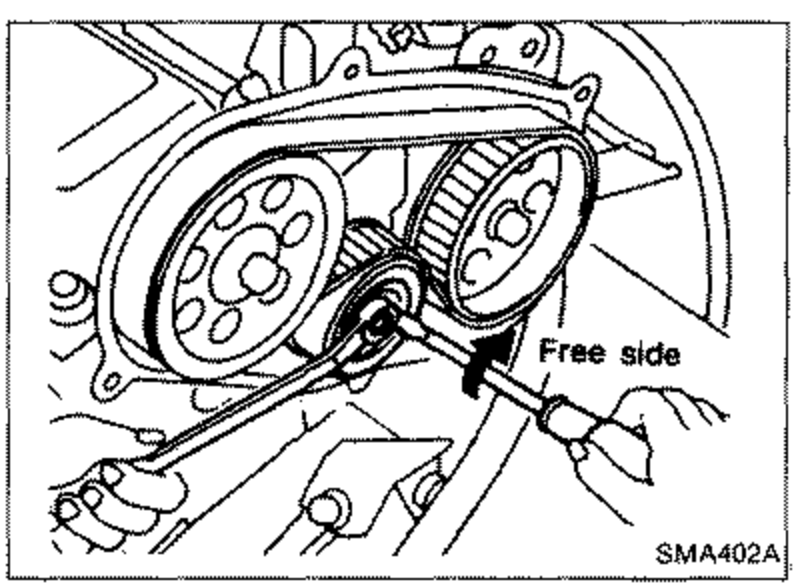
- 3Remove timing belt.
 SMA402A
 - 3-1Loosen tensioner lock nut and turn tensioner clockwise to free belt from tension. Then temporarily tighten tensioner nut.
- 3-2Remove timing belt.
Installation
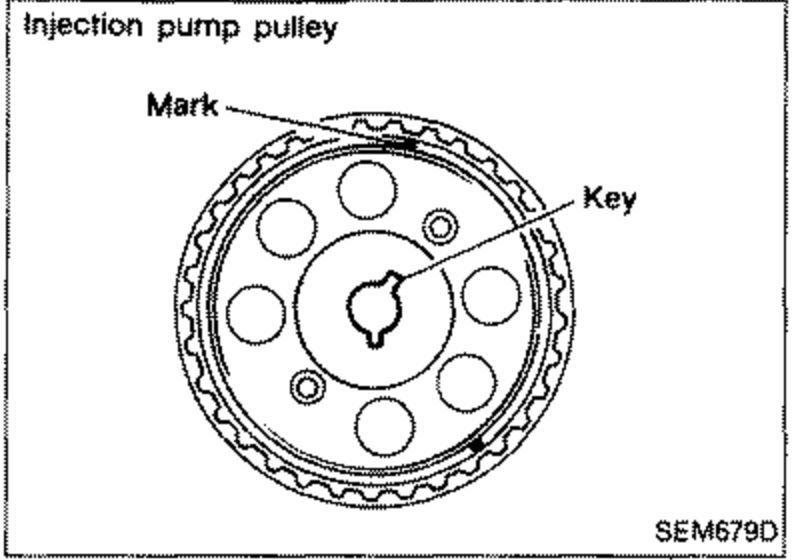
- 1Confirm that No. 1 piston is set at T.D.C. on its compression stroke.If injection pump pulley was removed, confirm that it is re-installed as illustrated. Identification of alignment: CD17 No mark; CD20 Use mark "A".
 SEM679D
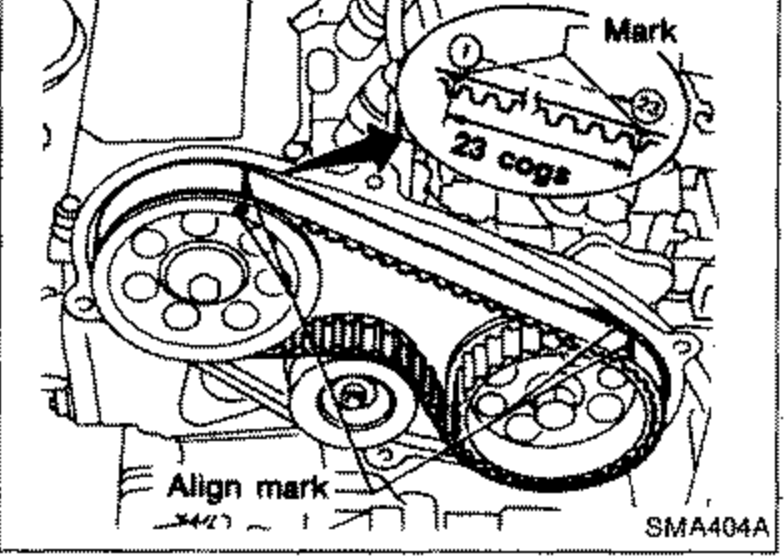
 - 2Set timing belt.
 SMA404A
 - 2-aAlign white lines on timing belt with punchmarks on camshaft sprocket and injection pump sprocket.
- 2-bPoint arrow on timing belt toward belt cover.
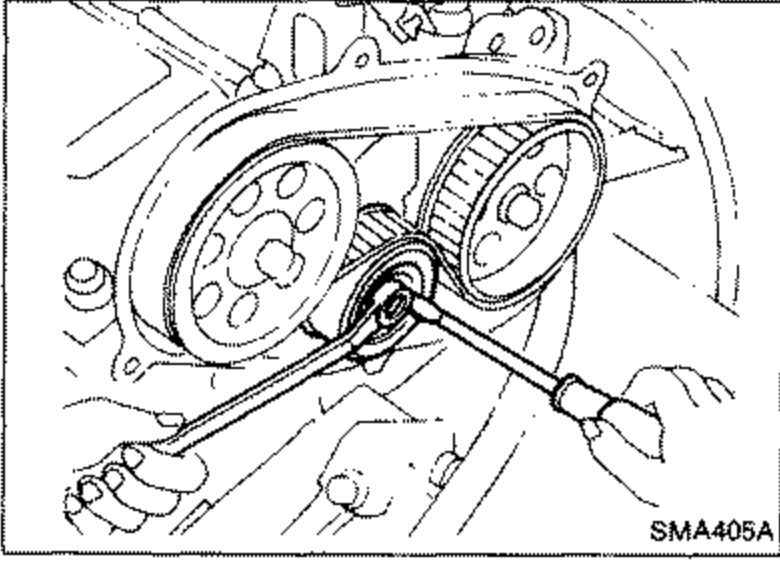
- 3Adjust belt tension.
 SMA405A
 - 3-1Loosen tensioner lock nut to apply tension to timing belt.
- 3-2Rotate crankshaft clockwise two turns. Do not turn crankshaft by camshaft sprockets.Do not turn crankshaft by camshaft sprockets.
- 3-3Tighten tensioner lock nut while holding tensioner with a screwdriver.
| Specification | Value |
|---|---|
| Belt tension (CD17)(26 ± 5 kg, 57 ± 11 lb) | 255 ± 49N |
| Belt tension (CD20)(15 ± 5 kg, 33 ± 11 lb) | 147 ± 49N |
Belt tension (CD17)(26 ± 5 kg, 57 ± 11 lb)
255 ± 49N
Belt tension (CD20)(15 ± 5 kg, 33 ± 11 lb)
147 ± 49N
INSPECTION
Refer to page EM-208.
INJECTION TIMING ADJUSTMENT
Refer to EF & EC section.