
Chassis and Body Maintenance — Checking/Changing A/T Fluid, Checking/Changing Transfer Oil
MA-60prose procedureTransfer oil capacity differs between GA16DS (1.1 L) and SR20DET (1.5 L) engine models.
Checking A/T Fluid Level (Cont'd)
- 1Park vehicle on level surface and set parking brake.
- 2Start engine and then move selector lever through each gear range, ending in "P".
- 3Check fluid level with engine idling.
- 4Remove dipstick and wipe it clean with lint-free paper.
- 5Re-insert dipstick into charging pipe as far as it will go.
- 6Remove dipstick and note reading. If level is at low side of either range, add fluid to the charging pipe.Do not overfill.
- 3Check fluid condition. Check fluid for contamination. If fluid is very dark or smells burned, or contains frictional material (clutches, band, etc.), check operation of A/T. Refer to section AT for checking operation of A/T.
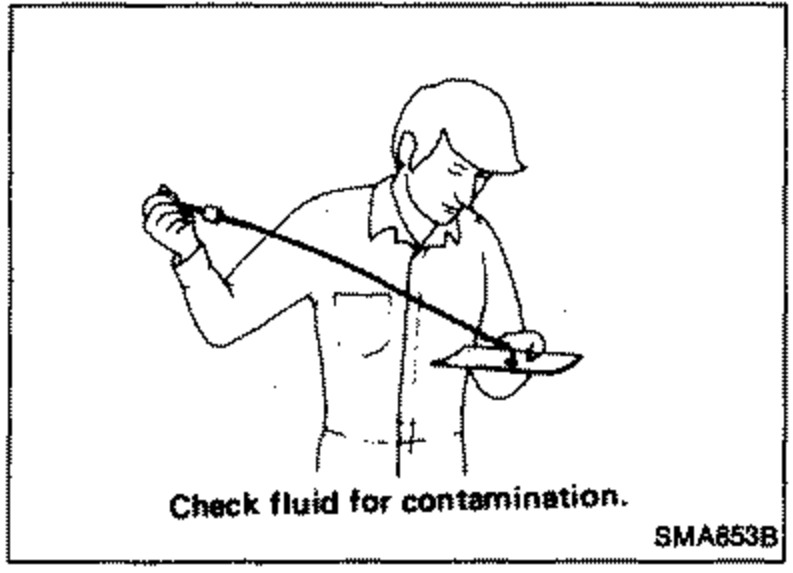 SMA853B
Changing A/T Fluid
| Specification | Value |
|---|---|
| Oil capacity (with torque converter) | 7.0liters (6-1/8 Imp qt) |
| Drain plug | ≈284 - 382N·m |
Oil capacity (with torque converter)
7.0liters (6-1/8 Imp qt)
Drain plug
284 - 382N·m
Use recommended A/T fluid "DEXRON™".
Checking Transfer Oil Level
- 1Check for oil leaks.Never start engine while checking oil level.
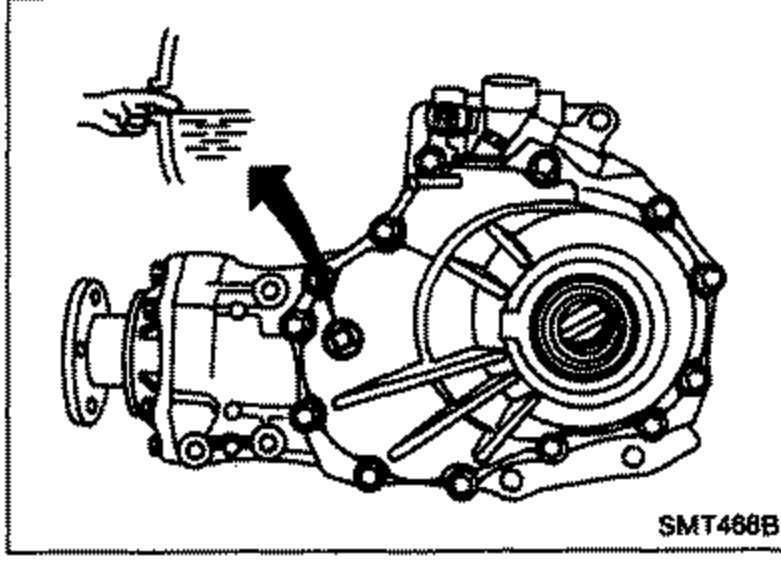 SMT468B
 - 2Check oil level.
Changing Transfer Oil
| Specification | Value |
|---|---|
| Oil capacity — GA16DS engine modelsGA16DS | 1.1liters (1 Imp qt) |
| Oil capacity — SR20DET engine modelsSR20DET | 1.5liters (1-3/8 Imp qt) |
Oil capacity — GA16DS engine modelsGA16DS
1.1liters (1 Imp qt)
Oil capacity — SR20DET engine modelsSR20DET
1.5liters (1-3/8 Imp qt)
Use recommended gear oil "API GL-5" with suitable cosity.
See also
AT